SMART UPI EXPENSE TRACKING

Your UPI expenses.
Automatically tracked.

Stop entering expenses manually.

Make UPI payments like you normally do. After you grant the required SMS permission, Vyaya helps detect supported transaction messages and automatically organizes relevant expenses so you can better understand where your money goes.

Automatic expense tracking Smart categorization Clear financial insights
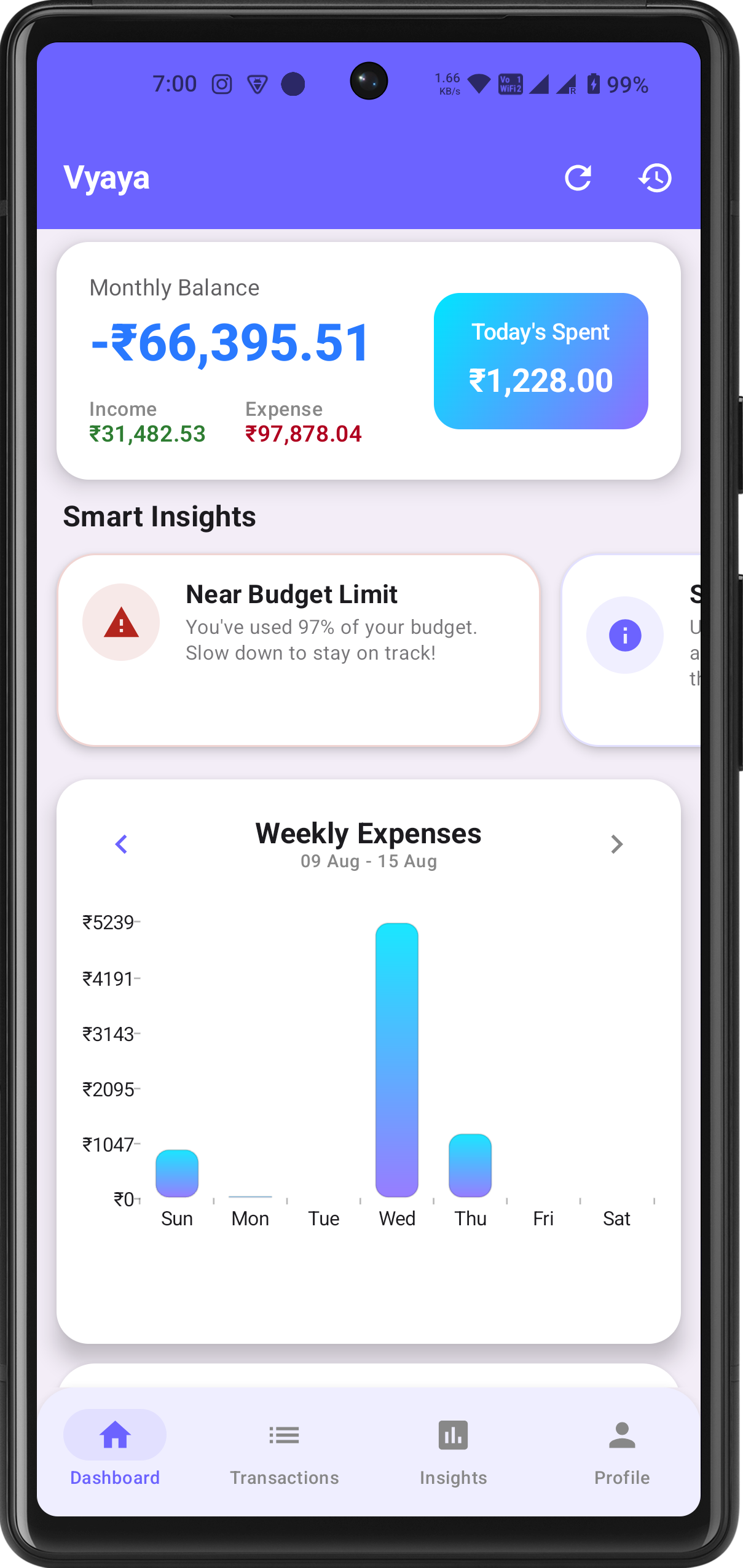
Vyaya App Dashboard Preview

Stop entering expenses manually.

Your UPI expenses can be automatically organized from supported transaction messages after you grant SMS permission.

Step 01

Pay Normally

Make UPI payments like you always do with any app.

Step 02

Transaction SMS

Receive instant bank confirmation on your phone.

Step 03

Vyaya Detects

Vyaya identifies relevant supported transaction info securely.

Step 04

Expense Organized

Relevant expenses are organized into your financial records.

Step 05

Understand Money

Explore categories, trends, and financial insights.

"PAY NORMALLY → VYAYA DETECTS → VYAYA ORGANIZES → YOU UNDERSTAND YOUR MONEY"

From payment to insight.

A simpler way to keep track of everyday spending.

01

Make a payment

Continue using UPI like you normally do for groceries, dining, shopping, and bills.

02

Vyaya organizes it

Supported transaction information is detected and organized after the required permission is granted.

03

Understand your money

See your spending, categories, trends, and financial insights in one clear place.

Smart assistance when needed

Smart when transactions aren't obvious.

Most transactions can be handled using Vyaya's reliable detection and categorization system. When transaction details are unclear, intelligent assistance can help identify useful information.

Standard Categorization

Fast and automatic for familiar merchants and standard UPI formats.

Selective Assistance

Intelligent help when transaction merchant names are unusual or unclear.

Real App Preview

Designed for simplicity & clarity.

Explore actual screens from the Vyaya app.

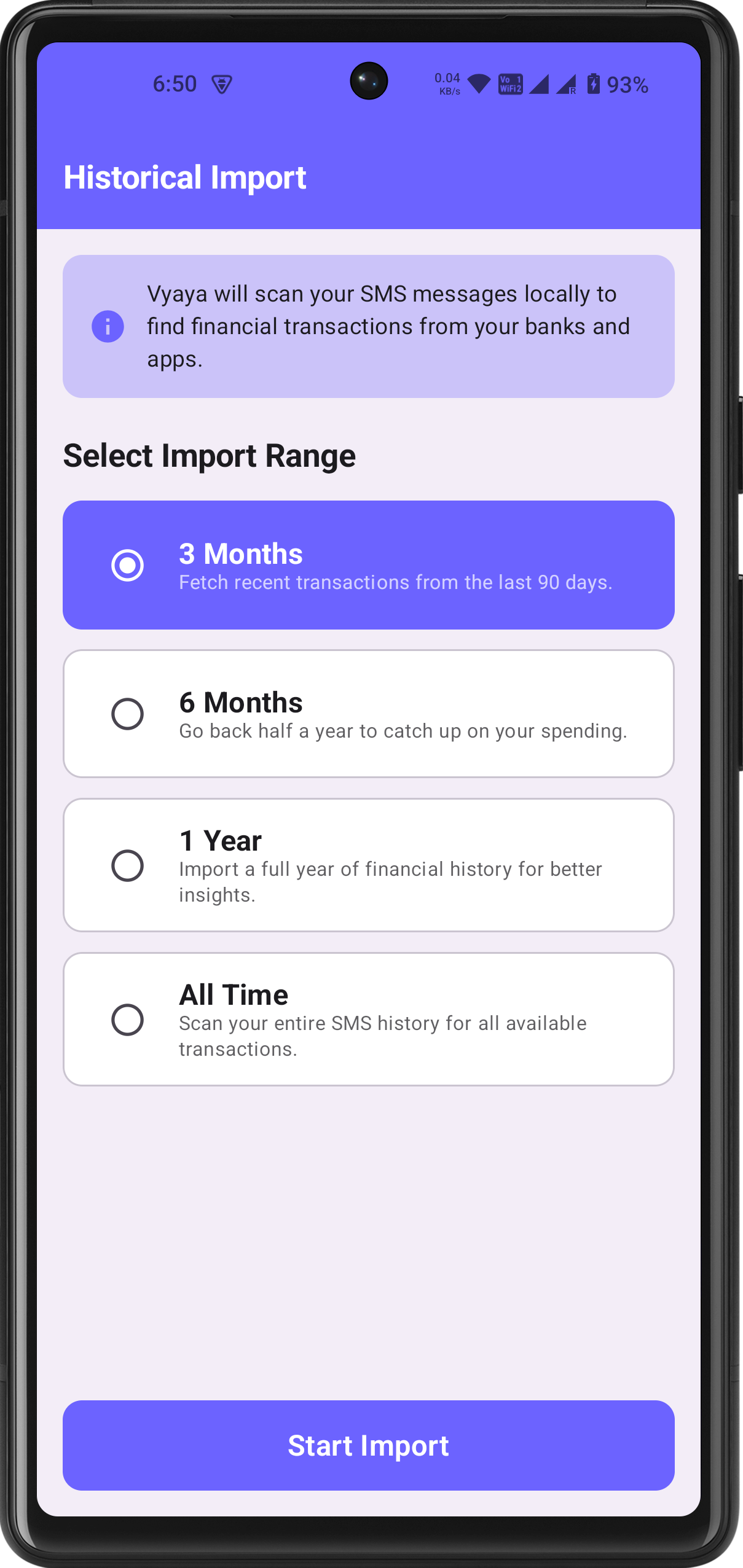
Vyaya Historical SMS Import

Historical SMS Import

Easily import historical SMS transactions from your device to catch up on past expenses before using Vyaya.

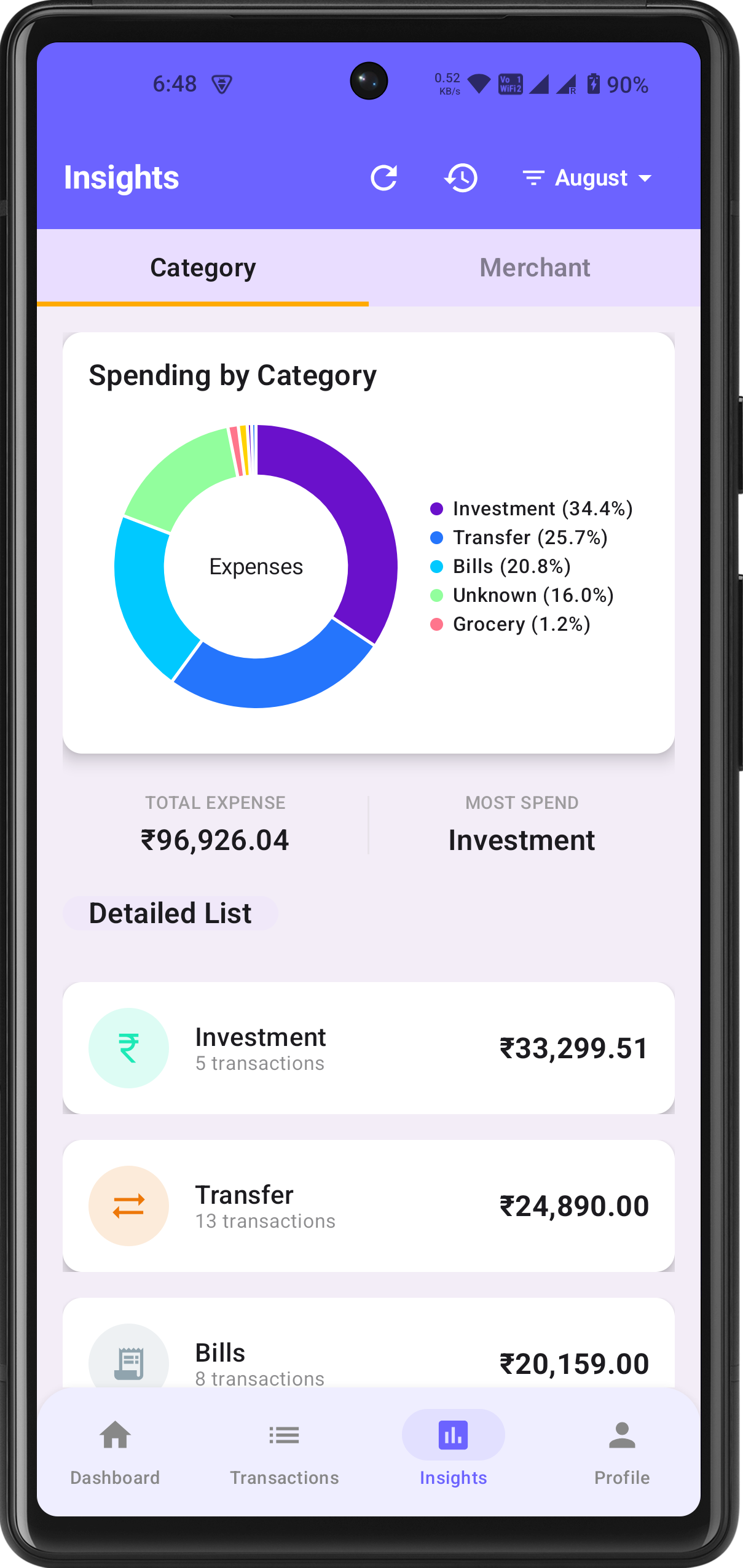
Vyaya Category Insights

Deep Category Insights

Visualize spending distribution across dining, shopping, bills, and travel with clear charts.

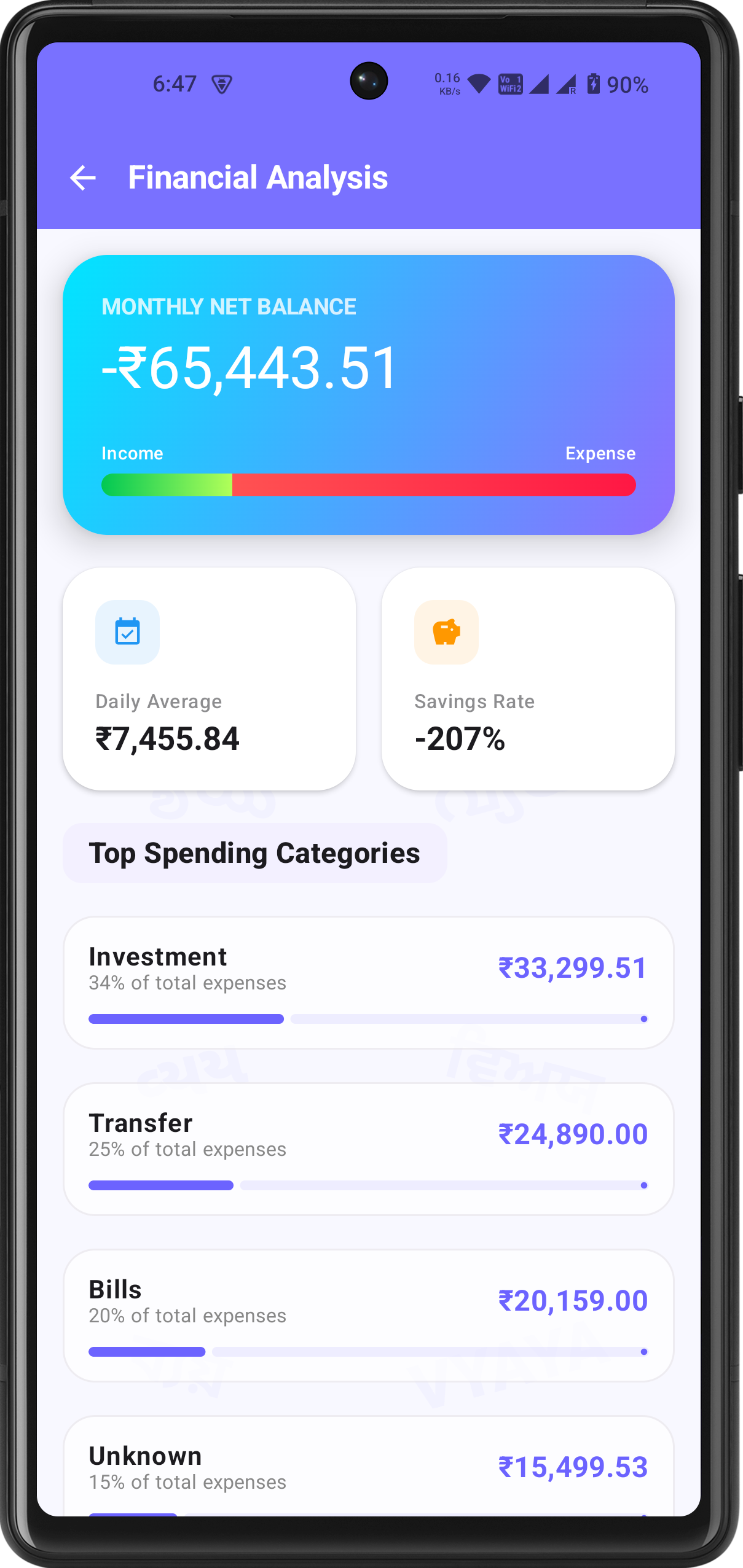
Financial Overview

See the bigger picture.

Go beyond individual transactions and understand how your money is moving throughout the month with clear indicators.

01

Monthly Net Balance

Understand the difference between your income and expenses at a glance.

02

Daily Average & Savings Rate

See your average spending habits and get a clearer picture of your financial progress.

03

Top Spending Categories

Quickly identify where most of your money goes each month.

Vyaya Balance Analysis

Know exactly where your money goes.

Turn everyday transactions into a clear understanding of your spending habits.

Spending Trend

Food & Dining

Your food spending is higher than last month. Consider balancing dining out with home-cooked meals.

Budget Progress

Shopping Category

You're getting close to your shopping budget limit with 10 days remaining in the month.

Monthly Progress

Overall Efficiency

Your total spending is 12% lower compared to last month at this exact date. Great progress!

Budget Planning

Plan your spending with confidence.

Set budgets for important spending categories and keep track of your progress throughout the month without stress.

  • Custom limits for Food, Shopping, Bills & Travel
  • Clear visual progress indicators
  • Gentle reminders before exceeding category targets

Active Budgets

Food & Dining ₹8,500 / ₹10,000
Shopping ₹4,200 / ₹6,000
Bills & Utilities ₹3,100 / ₹5,000
Exportable Records

Your month, clearly summarized.

Review your spending and download your monthly expense information in CSV format whenever you need it for personal bookkeeping or tax records.

📊 Monthly CSV Reports 📂 Clear Expense Records ⚡ Historical Access
Transparent & Secure

Automatic tracking. With transparency.

Vyaya requests the required SMS permission to help identify supported transaction messages and automate expense tracking.

Why SMS Access?

To help detect relevant supported transaction information for automatic expense tracking.

You Stay Informed

We are transparent about why permissions are requested and how data is handled locally.

Read Privacy Policy →

Less manual tracking. More understanding.

See how Vyaya simplifies everyday personal finance.

Traditional Tracking

  • Manually enter every single expense
  • Forget transactions made throughout the week
  • Tedious bookkeeping in notebooks or spreadsheets

Vyaya Experience

  • Make your payment normally
  • Relevant supported transactions are detected
  • Expenses are automatically organized
  • Insights become easier to understand

Frequently Asked Questions

Everything you need to know about Vyaya.

Vyaya App Logo

Stop entering expenses manually.

Understand where your money goes.

Make your payments normally and let Vyaya help organize your expenses into a clearer financial picture.

Get it on Google Play